Your Podcast Journey Starts Here.
Creavox connects podcast creators with professional studios. Creators find and book the right room; studio owners run bookings, rooms and earnings from one dashboard.


Real screens from the Creavox apps, shown with sample data, not live listings.
One platform for both sides of every podcast session
Discover studios
Browse podcast studios with their rooms, amenities, location and starting price.
Real slot availability
Studios publish bookable time slots, so you can see what's open before you commit.
Secure payments
Online payments run through Razorpay, with GST invoices for every booking.
Built for studio owners
Bookings, branches, rooms, availability and earnings in one dashboard, on web and mobile.
Find the Perfect Podcast Studio for Your Next Big Idea.
Solo episode, guest interview or multi-camera video podcast: compare podcast studios in Chennai, check their rooms and open slots, and book the right space.


- Discover available podcast studios and their rooms
- Explore photos, amenities, location and room details
- Compare starting prices and room capacity
- Check slot availability before you book
- Book with our team today, or in the app when it launches
- Manage bookings and check in with a booking pass
Tell us your recording requirements and our team will help you find a suitable studio.
Real screens from the Creavox apps, shown with sample data, not live listings.
Booking a podcast studio in the Creavox app
The creator app is launching soon. Until then, our team arranges your booking on WhatsApp, and it's confirmed only once we get back to you.
Discover studios
Browse podcast studios in your city with photos and starting prices.
Choose a room
Compare rooms, capacity, amenities and equipment add-ons.
Pick a slot and pay
Select an available slot, review the GST breakdown and pay online.
Check in with your pass
Show your booking pass at the studio and start recording.
Grow Your Podcast Studio Business with Creavox.
List your podcast studio, reach creators looking for a place to record, and run your day-to-day bookings from one studio dashboard on the web and on your phone.
Creavox offers subscription and commission-based plans. Applicable commercial terms will be agreed during studio onboarding.


- Register your studioCreate your owner account and submit your studio for review.
- Manage studio detailsPhotos, logo, amenities, business and GST details.
- Branches and roomsAdd locations and rooms with capacity and hourly rates.
- AvailabilityWorking hours, holidays, slot length and blocked slots.
- BookingsConfirm, check in and complete sessions; record offline bookings.
- Earnings and payoutsTrack booked value, earnings and payouts to your bank or UPI.
Run your whole studio from the browser
Bookings, availability, working hours, branches, rooms, equipment, verification, reviews, promotions and your team, at app.creavox.in.


Dashboard. Booked value today, this week and this month, booking status at a glance, setup checklist and today's sessions.
Real screens from the Creavox apps, shown with sample data, not live listings.
Your studio, on the go
Confirm and check in sessions, record walk-ins and manage branches from your phone. Staff see only what you allow, for their branch. Coming soon for iOS and Android.
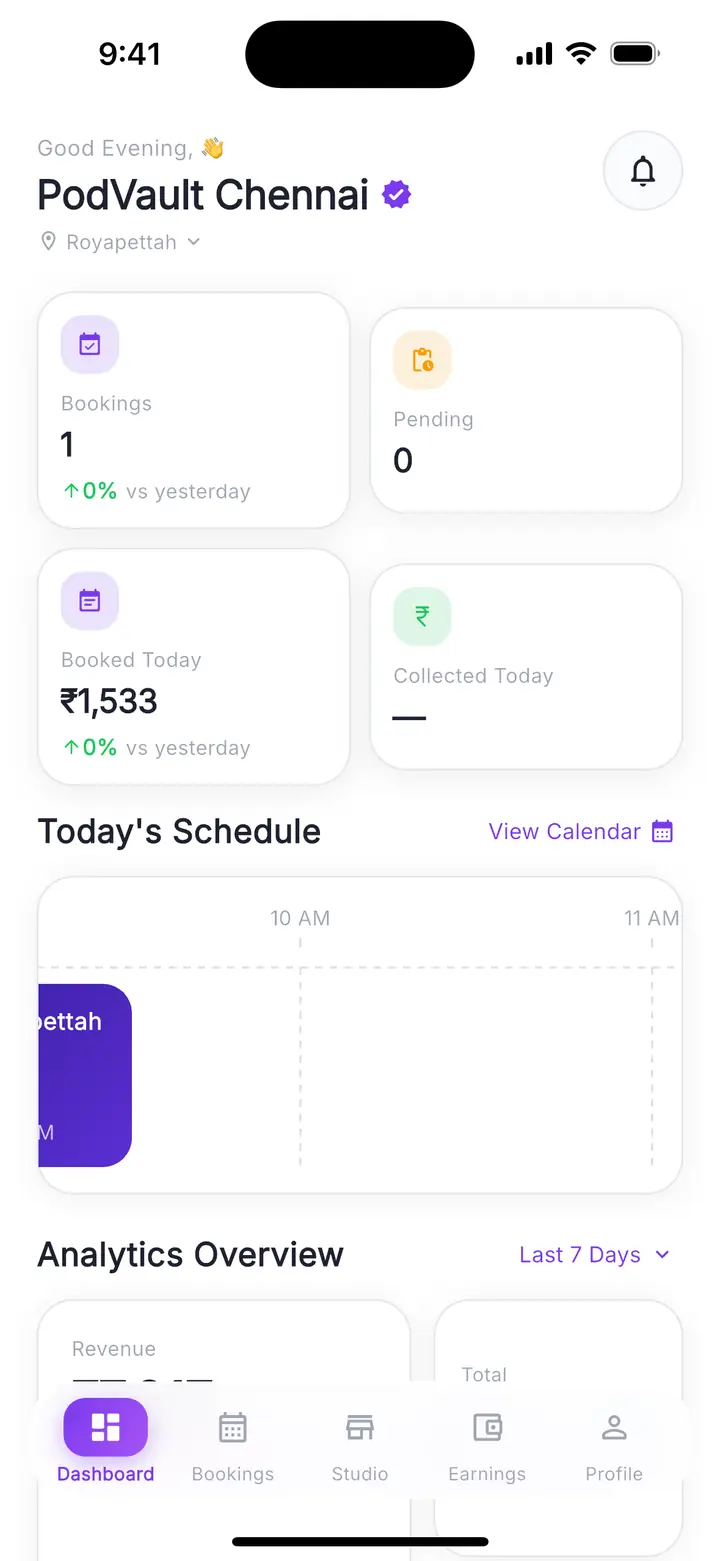
Today at a glance
Bookings, pending and booked value
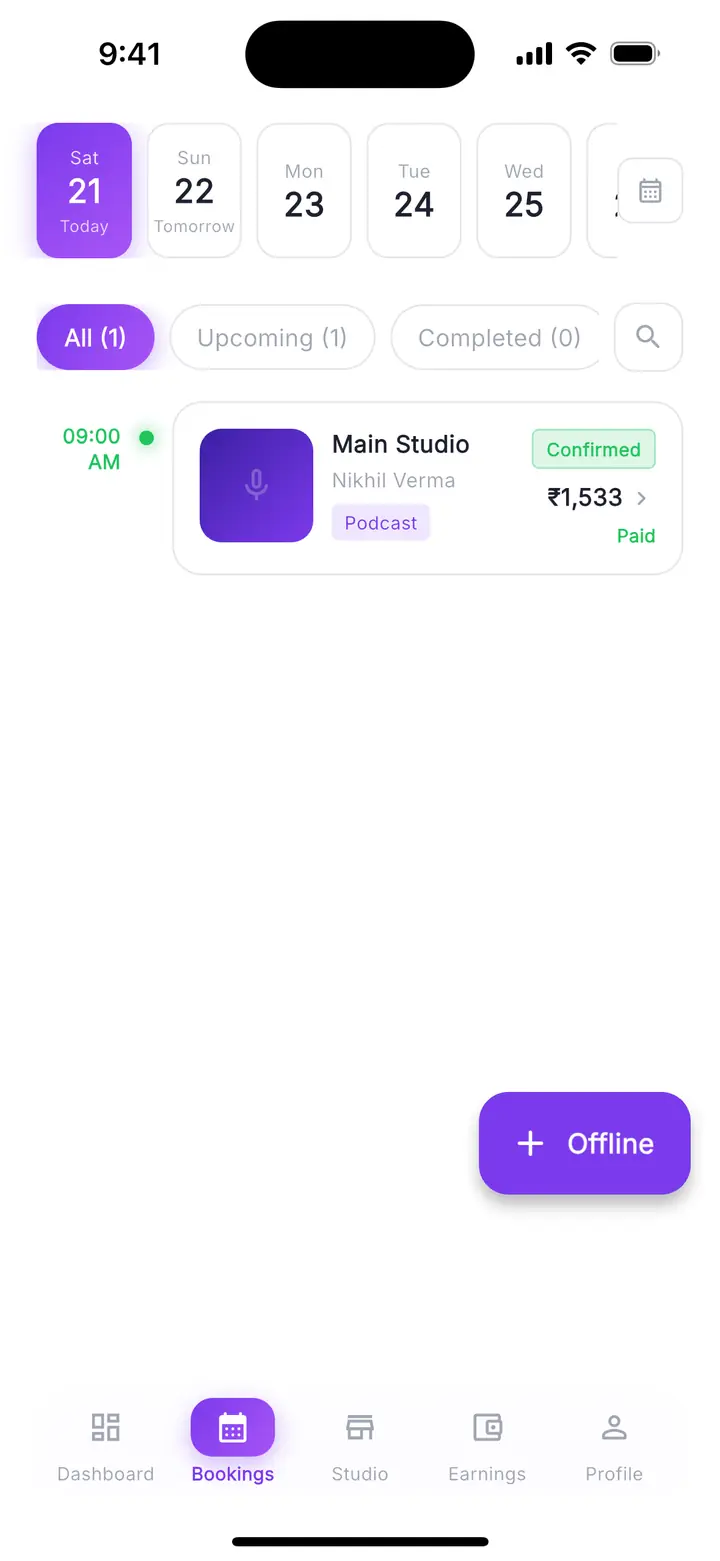
Bookings by day
Upcoming sessions and walk-ins
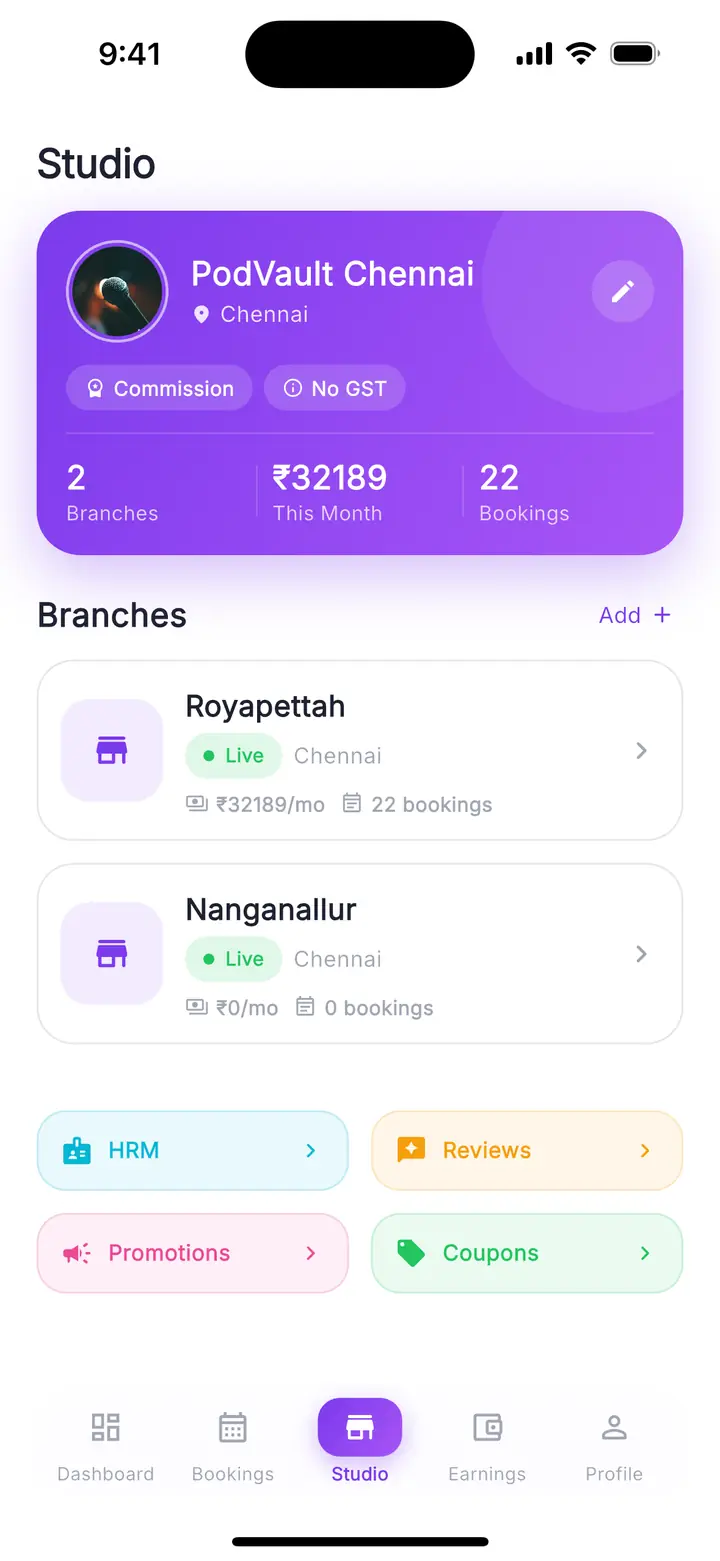
Your studio
Branches, team, reviews, promotions
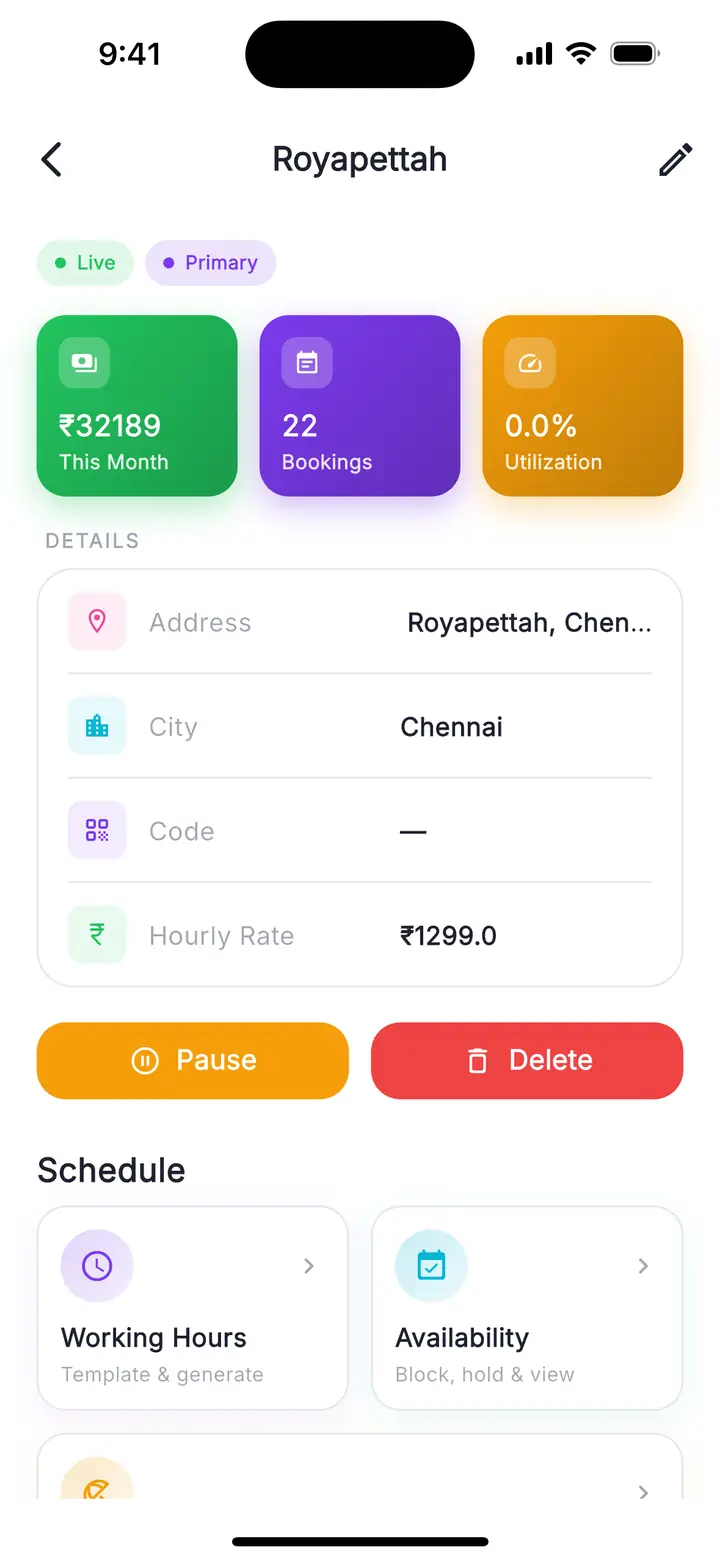
Branch control
Status, hours and availability
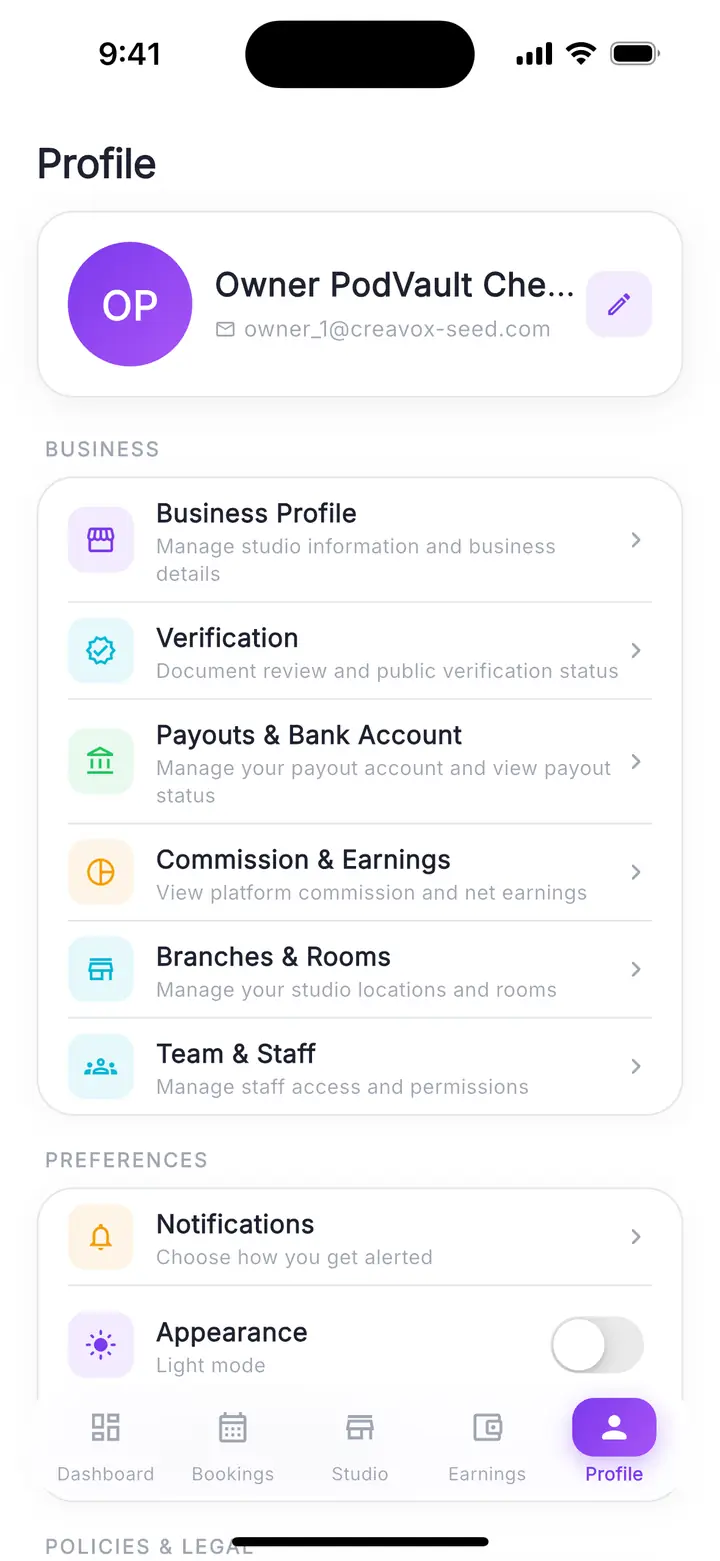
Business settings
Verification, payouts, staff


Real screens from the Creavox apps, shown with sample data, not live listings.
Discover, book and manage sessions
From finding a studio to checking in on the day, every step lives in one app. Coming soon for iOS and Android.
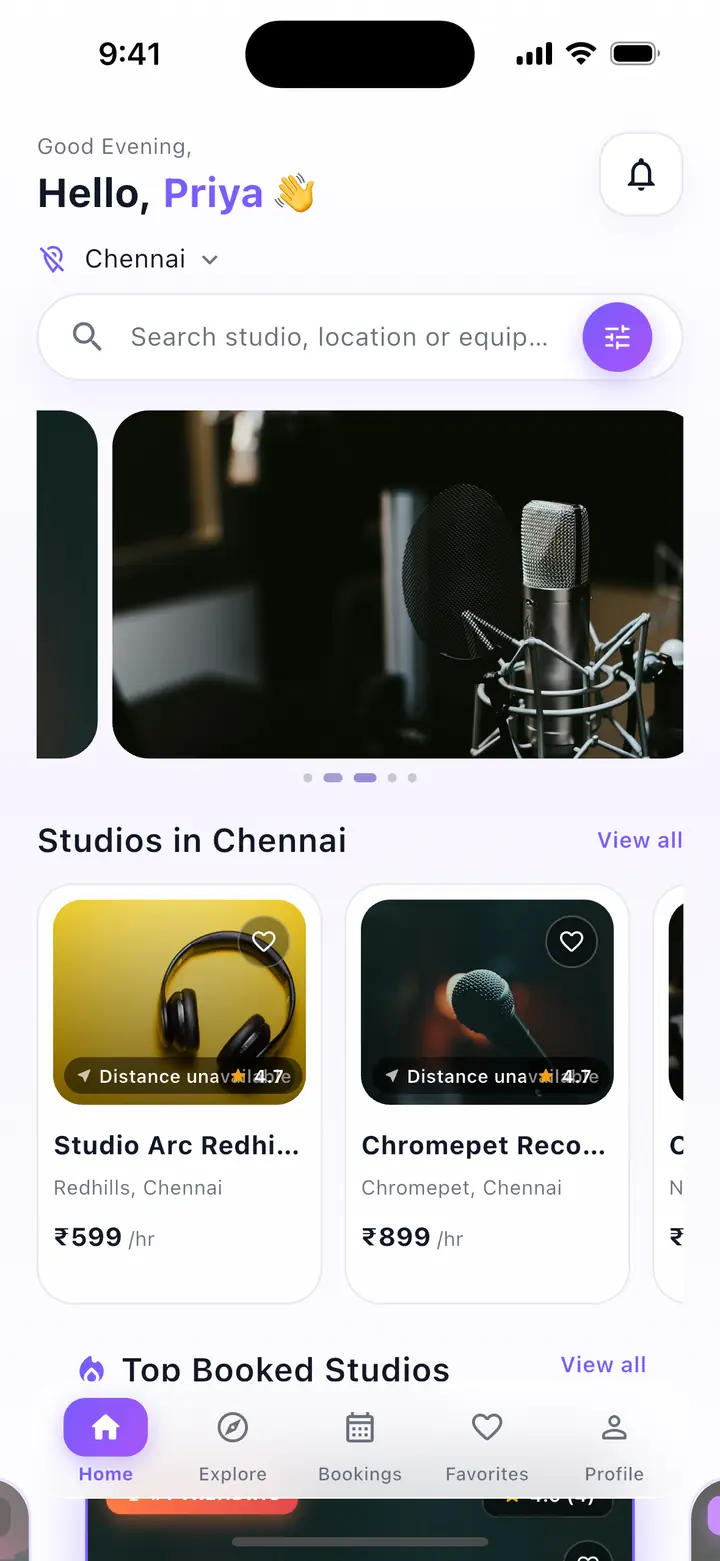
Home
Your city, featured and top studios
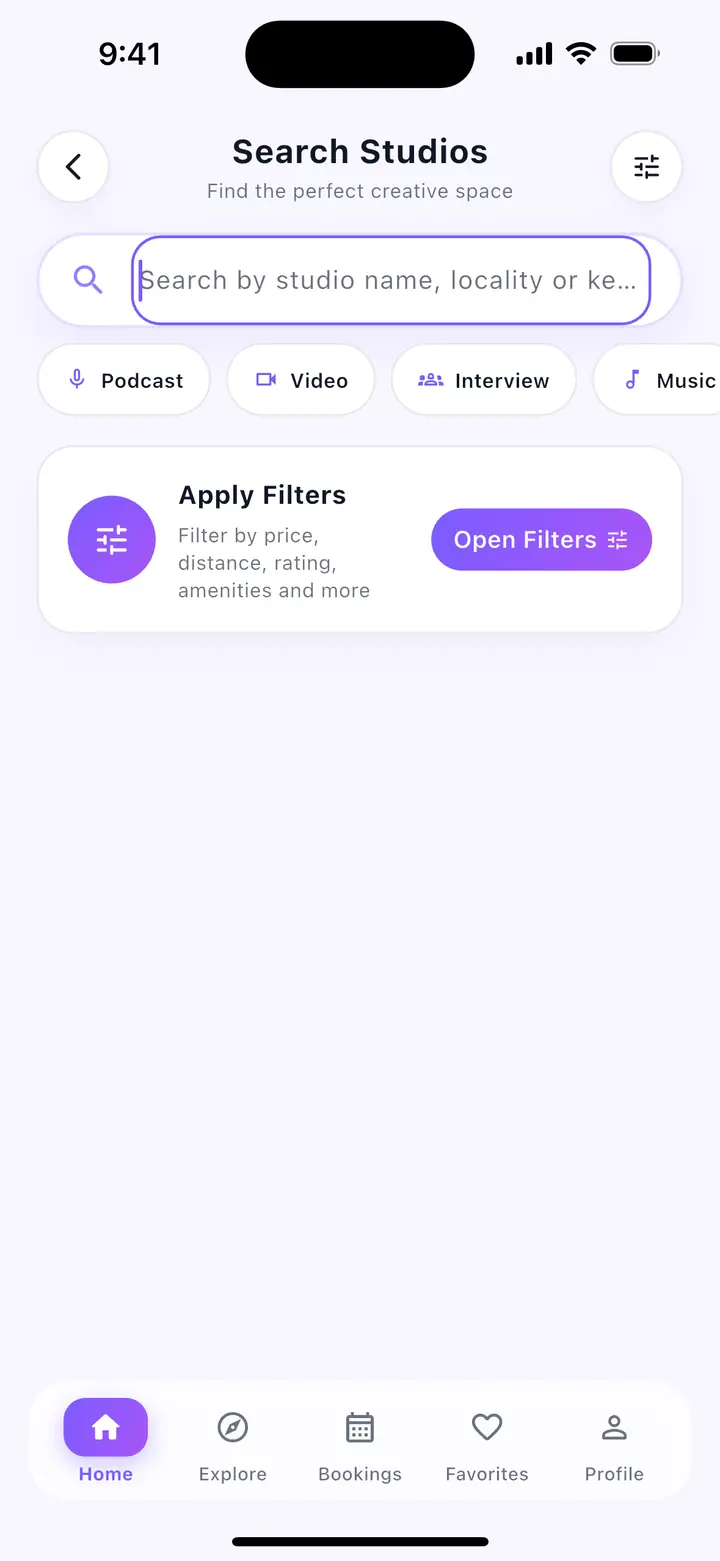
Search
Find studios by name, area or gear
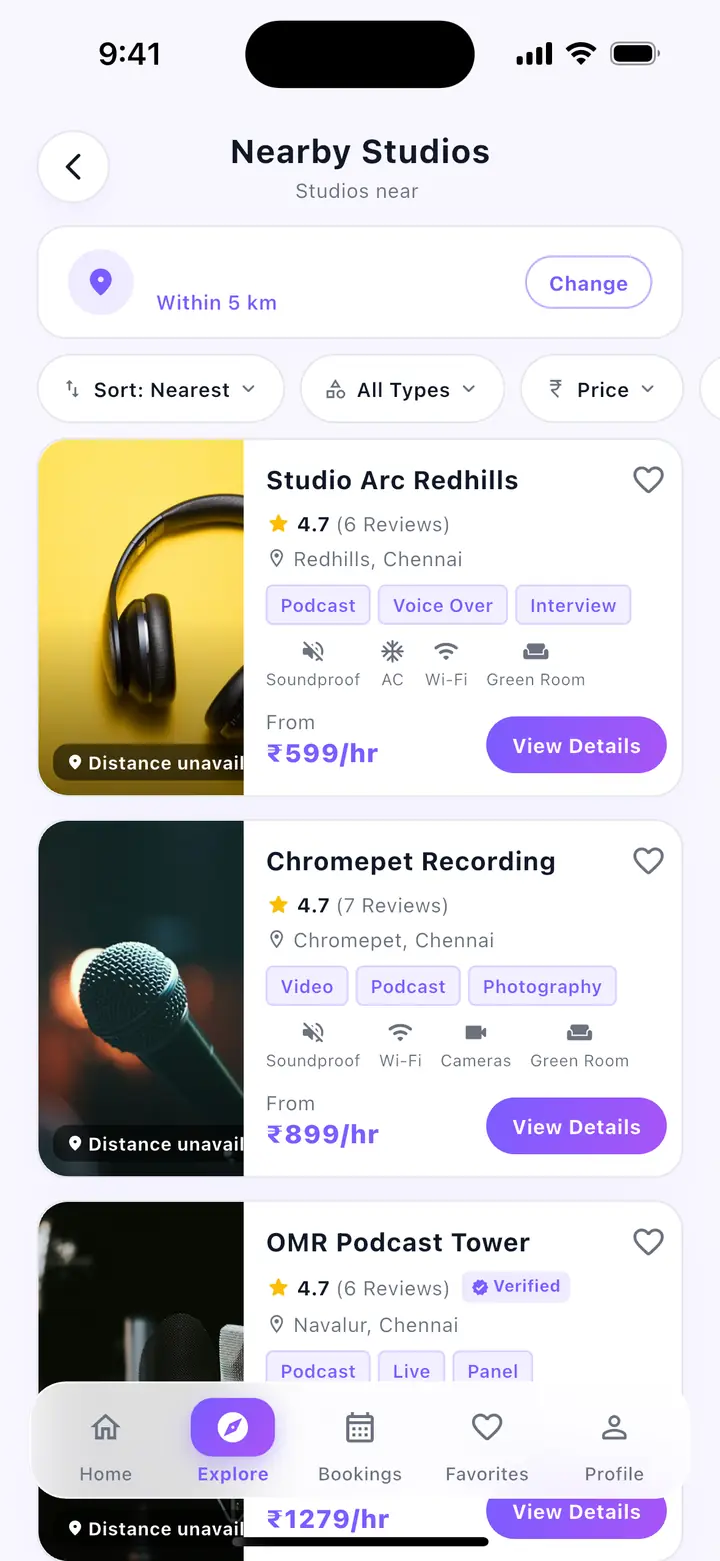
Nearby studios
Ratings, amenities, starting price
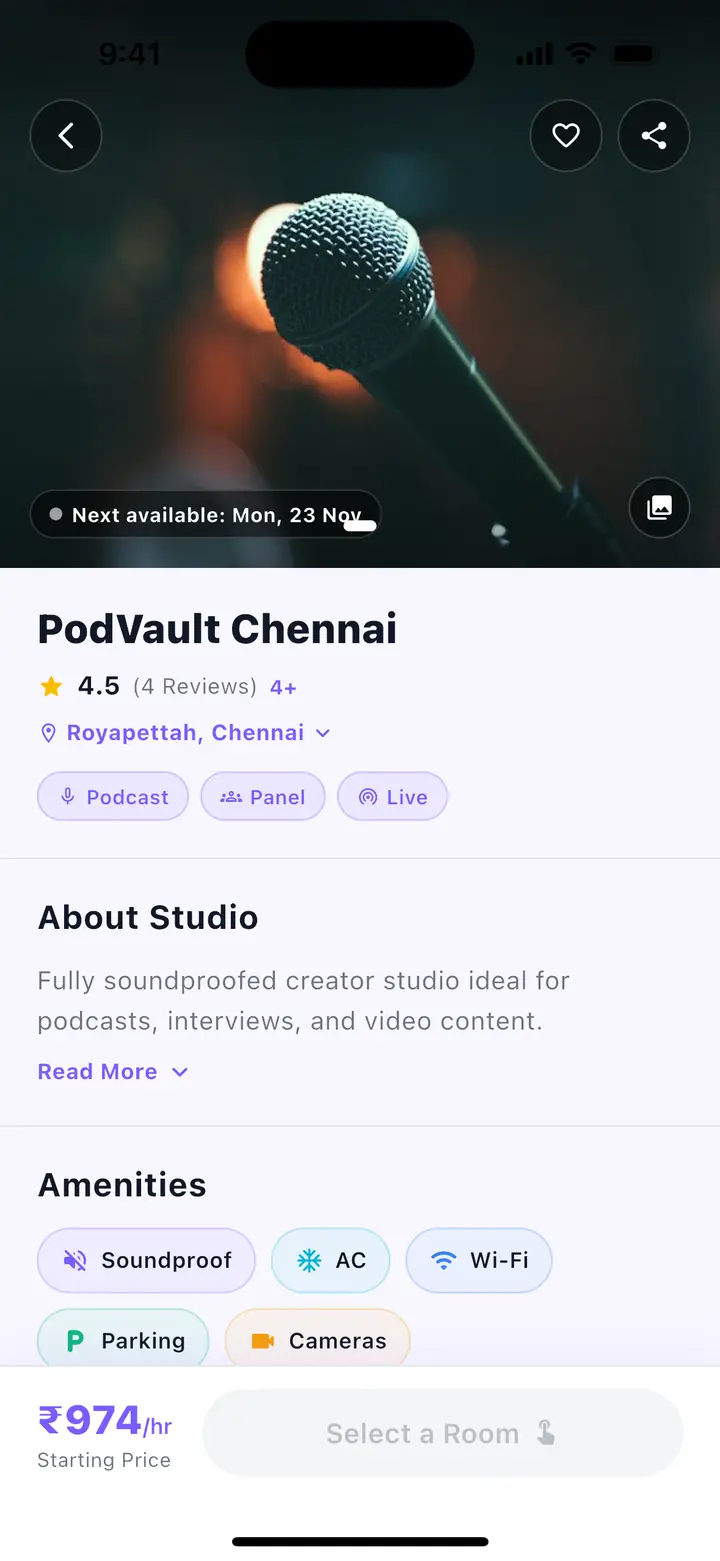
Studio details
Photos, rooms and amenities
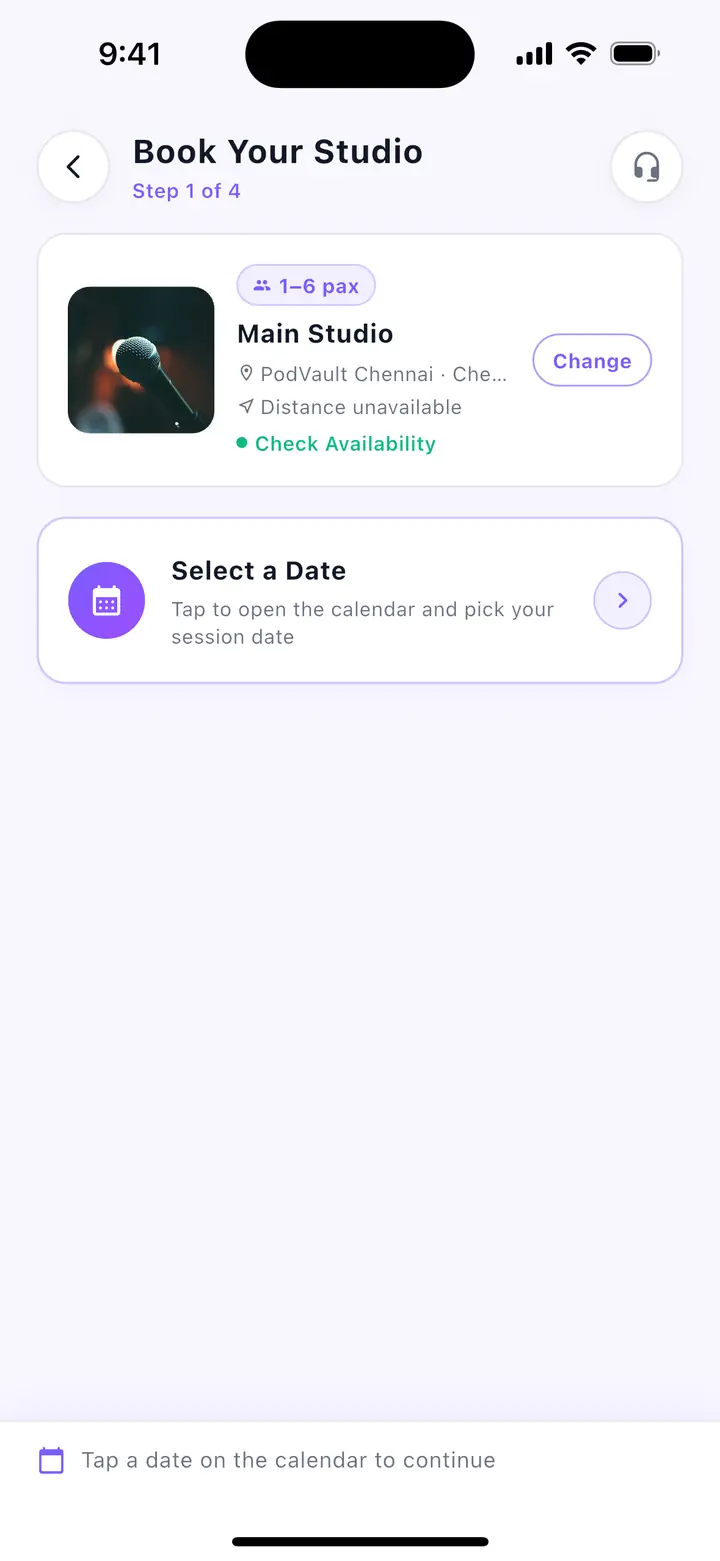
Book a slot
Pick a room, date and time
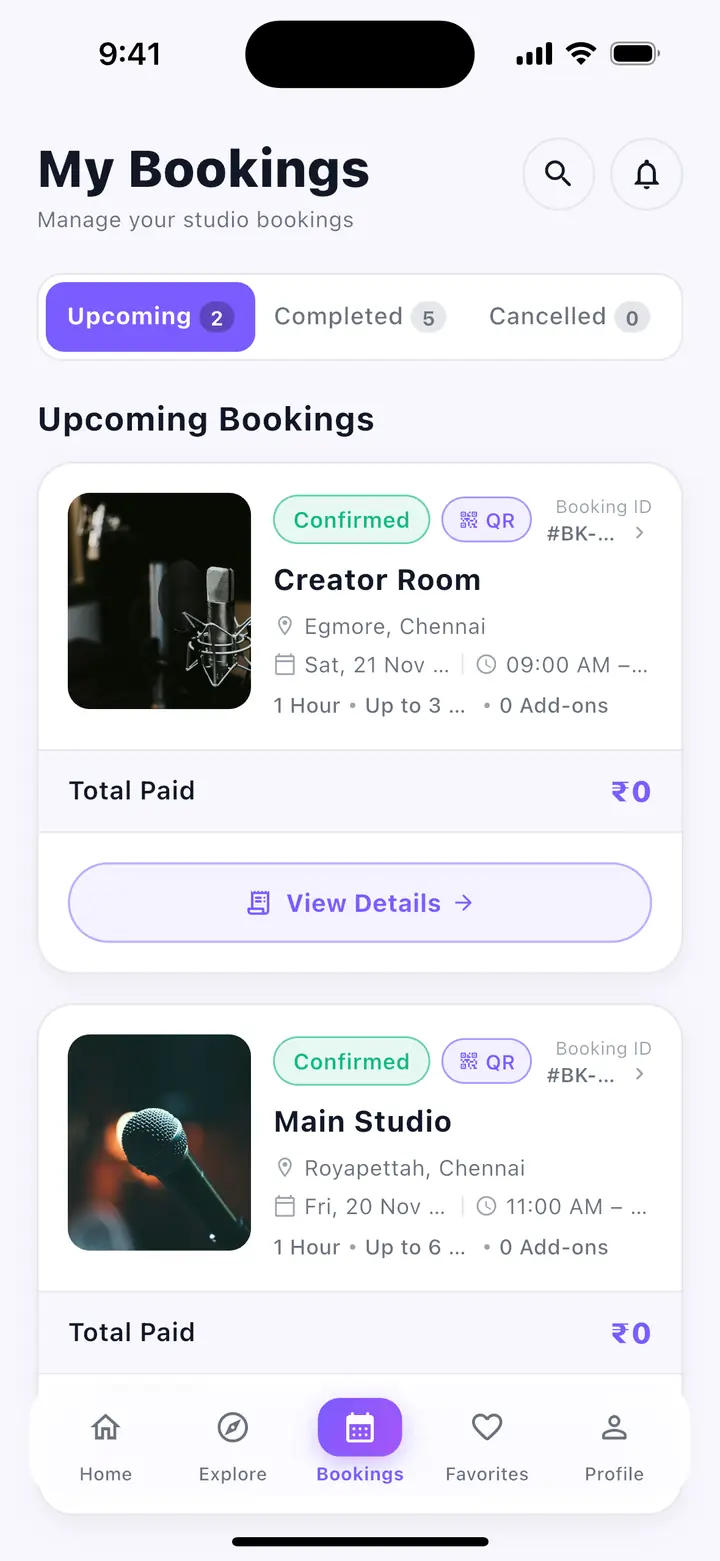
My bookings
Upcoming and past sessions
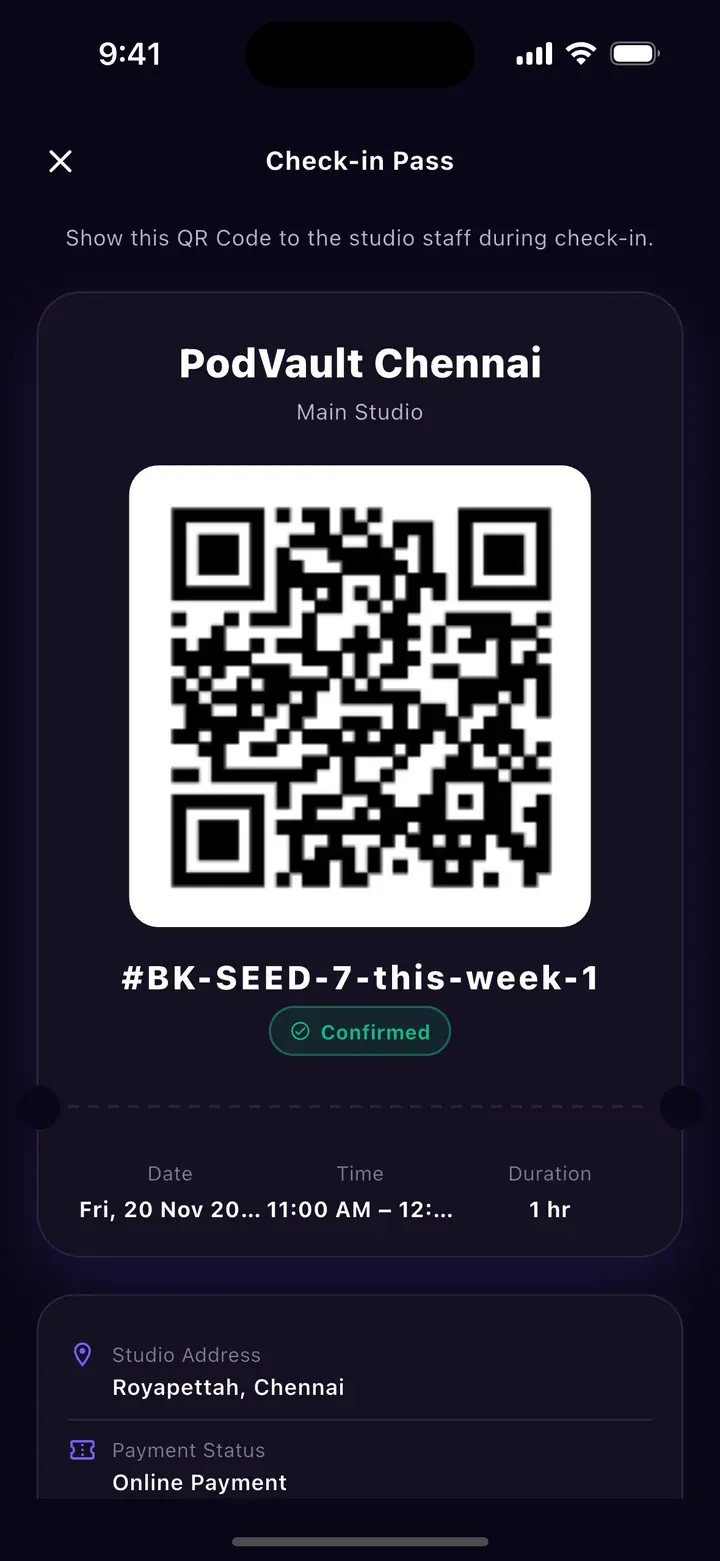
Check-in pass
Show the QR at the studio


Real screens from the Creavox apps, shown with sample data, not live listings.
How listing your studio works
Creavox offers subscription and commission-based plans. Applicable commercial terms will be agreed during studio onboarding.
- Step 1
Register
Create your studio owner account and submit your studio's details.
- Step 2
Review and verification
The Creavox team reviews your studio and may ask for business documents.
- Step 3
Approval and sign-in
Once approved, sign in to the studio dashboard with your email and password.
- Step 4
Set up and go live
Add rooms, working hours and pricing so creators can book you.
Questions, answered
Pick your topic: creators booking a studio, studio owners listing one, or the booking basics.
What is Creavox?
Creavox is India's podcast studio booking platform by WAVI. It connects podcast and video creators with professional recording studios, and gives studio owners the tools to manage bookings, rooms and earnings. Creavox is launching in Chennai.
How can I find a podcast studio?
Browse podcast studios in Chennai on Creavox, or tell us what you're recording, your guest count, date and budget, and our team will share suitable studios with their setup and pricing.
How do I submit a booking?
During early access, send us a booking enquiry on WhatsApp and our team will help you choose a studio and confirm your slot. Your booking is confirmed only once our team gets back to you. In the Creavox app (launching soon) you'll pick a room and slot and pay online.
How do cancellation and refunds work?
You can cancel a booking any time before the session starts (during early access, just message our team). When you cancel, the amount you paid online is refunded in full to your original payment method through Razorpay, and any Creavox wallet coins you used are returned to your wallet. Completed bookings and sessions that have already started can't be cancelled. There's no self-service rescheduling yet: cancel and book a new slot, or ask our team for help.
What equipment is included?
Equipment varies by studio. Tell us what you need, such as the number of microphones or cameras, and we'll share the setup available at each suitable studio before you book.
How do I pay for bookings?
Our team will explain the payment options for your chosen studio before your booking is confirmed. Online payments on Creavox are processed securely through Razorpay.
How do I list my studio on Creavox?
Register your studio on creavox.in/register-studio. You'll create a studio owner account and submit your studio's details for review by the Creavox team.
How does registration work?
Fill in the owner details, a password, your studio name, address, city and map location, and your GST details if you're registered. When you submit, your account is created and your studio is marked as pending review.
How does the approval process work?
The Creavox team reviews every studio before it's listed and may ask for business registration, identity, address and ownership proof. Once approved, you can sign in, accept the Studio Partner Agreement and finish setting up rooms, working hours, pricing and photos. Creators can book only after setup is complete.
Is a free trial available?
Not at the moment. Creavox offers subscription and commission-based plans, and the applicable commercial terms are agreed with you during onboarding.
How are subscriptions and commissions determined?
Creavox offers subscription and commission-based plans. Applicable commercial terms will be agreed during studio onboarding.
How can I access the studio dashboard?
Once your studio is approved, sign in at app.creavox.in/studio/login with the email address and password you registered with. Sign-in isn't available while your studio is pending review.
What if a creator cancels?
Creators can cancel a booking any time before the session starts, and the amount they paid online is refunded to them in full. Any earnings already credited to your studio wallet for that booking are reversed. Every cancellation is recorded on the booking's timeline so you can see exactly what happened.
How much does a podcast studio cost?
Prices vary by studio, setup and included equipment, and are usually charged per hour. Tell us your requirements and we'll share current prices for suitable studios.
Can I book a podcast studio online?
Yes. Send us an enquiry online and our team will help you book a suitable studio. Self-service booking in the Creavox apps is coming soon.
Can I find podcast studios near me?
Creavox currently helps creators find podcast studios in Chennai, with more Indian cities planned as the platform expands.
Ready when you are
Planning your next episode?
Tell us what you're recording and we'll help you find a suitable podcast studio in Chennai.
- Compare studios
- Check open slots
- Book with our team
Own a podcast studio?
Register your studio and manage bookings, rooms and earnings with Creavox.
- Quick online registration
- Web + mobile dashboard
- Reviewed by our team